Still having fun with amateur radio! I’ve made some progress on a few fronts.
Last night I made my first successful contact with another HAM through the International Space Station’s repeater! The person I reached is in Ithaca, NY – about 300 miles from my home in Connecticut. He offered to send over an Mp3 of his side of the transmission which I’ll post here soon!
Typically my radio can reach about 20 miles give or take so having the space station relay transmissions is a huge range booster. What’s remarkable is that my radio only transmits at about 6 or 7 watts and the station is 250 miles up.
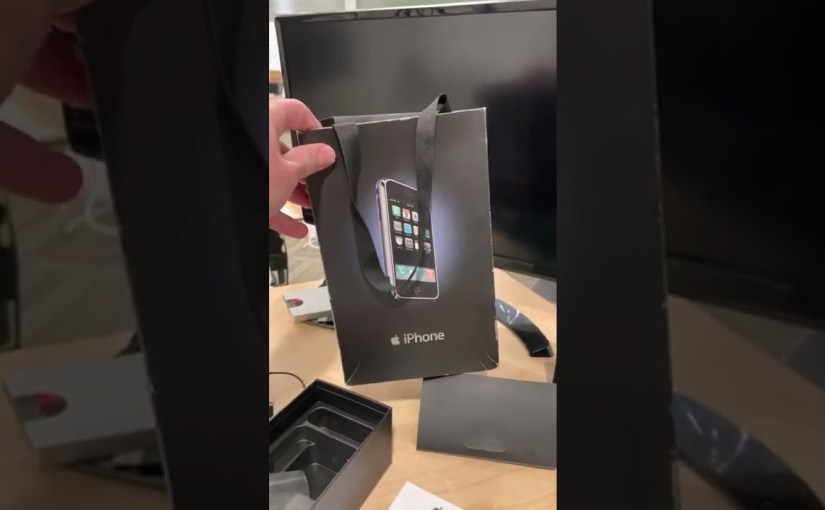
What I’m finding with this hobby is that you need the right antenna for the job. So I recently picked up the handheld monstrosity pictured above which is designed for making space station contacts. It’s also useful for regular local contacts until I get a proper antenna installed here.
Additionally I was also able to send my first message through the Winlink email system without using any Internet infrastructure! This is a hybrid email network that can work via local radio receivers but can also route email either from station to station or over the Internet. It was fun to watch the transaction on my laptop. I bought a special device called a “SignaLink USB” which can switch on my handheld radio’s transmitter when the PC sends out the audio.
Once I get an antenna installed I’m going to set up a little BBS on a Raspberry Pi for the local HAMs to use.
I’ll put together an update video soon once I have a few things ironed out!
A few months ago on the Weekly Wrapup we talked about the growing trend of “Social Shopping.” The best way to think of it is as a modern version of the Home Shopping Network where an influencer talks about products live that are available to purchase. This is something I do on Amazon from time to time.
In the video I pointed viewers towards an excellent video from Bloomberg that shows just how big social shopping has become in China. There it’s an industry worth tens of billions of dollars.
One of the creators featured in that video, Austin Li Jiaqi, has been effectively taken off the air by the government after a guest presented him with a cake in the shape of a tank according to Vice News. The government wants to erase memories of this picture from the Tiananmen Square massacre:
AP Photo
The video happened to take place on the 33rd anniversary of the 1989 event. Jiaqi has not yet reappeared after the stream was suddenly shut down.
Apple will shortly enter the satellite business by acquiring GlobalStar and its 24 satellites. They will use those 24, plus 24 more satellites that Apple has already commissioned, to offer satellite service for iMessage and Apple’s Find My network just like they implied in their denial last year.
The link in Cringley’s post goes to this Space News Article about a recent infusion of cash that Globalstar is set to receive from a top secret potential customer.
The operator said Feb. 24 it picked MDA and Rocket Lab to supply a set of 17 satellites to replenish its constellation after a “potential customer” agreed to fund most of the $327 million project. The agreement includes an option for up to nine additional satellites at $11.4 million each
The potential network will only run at about 10 megabits per second per satellite so it won’t be able to transfer large items like videos or high resolution imagery, but it is enough to provide service even in the most remote locations. In fact this type of messaging is very popular in the amateur radio world, with protocols like APRS transmitting location data in very small bursts at a much slower rate 1200 bits per second.
Would it work indoors? Who knows. But developments in weak signal technologies lead me to think that it will be able to send small bits of data anywhere in the world with an off-the-shelf consumer smartphone.
Like many other tech leaps the confluence of a bunch of technological developments are coming together here: cheaper launches to space, microprocessor advancements and smaller and cheaper satellites.
Comcast’s fiber optic service got a huge speed increase this week – the plan went from 3 gigabits symmetrical to a whopping 6! This is the second speed increase I’ve received for no extra charge since I had the service installed in 2020. You can see my series detailing the adventure here.
In addition to the six gigabit circuit (available as an SFP+ connection) there’s also an additional 1 gigabit circuit running on ethernet for a total of 7 gigabits. The link speed is 10 so there’s still a little more room to grow. The funny thing when you’re running this fast is finding a speed test that can actually handle the bandwidth!
After taxes I pay around $320 a month for the service. It pays for itself by the fact that uploads that once took me 45 minutes to an hour can now be done in about 30-45 seconds. That means I can upload much closer to my deadline vs. before. Most of my videos get uploaded to three different platforms (YouTube, Floatplane and Amazon) so not having to babysit uploads is a real efficiency gain for me.
Reliability is also immensely better than the coax service. Over the last two years I’ve had maybe 30 minutes or so of downtime. Streaming is rock solid even when pushing 10’s of megabits upstream to multiple platforms. This is metro ethernet, not a shared GPON connection, so you’re getting a very reliable industrial grade connection here. My circuit connects directly to the “head end” about eight miles away with nothing in between.
Getting installed depends on how close you are to a splice point or node. I was fortunate that I lived right down the street from a fiber splice so the construction costs were within the scope of what they cover for an install. If you go beyond that allowance you have to pay the difference. If you’re not near a node or a splice point it can get very expensive.
While there are far less expensive fiber options out there in my area Comcast is the only game in town. That is changing though and I suspect these two big speed increases in the course of the last year are evident that competitors are beginning to catch up.
Frontier, the local phone company here in Connecticut, has emerged from bankruptcy and running fiber all over the place. Verizon and T-Mobile are also offering wireless service for the home along with Starlink.
Of course the aliens in this case are us! An aerospace engineering student on Twitter put together this neat 3D model of the Mars rover’s back shell and parachute crash site.
On Sol 414 the Ingenuity mars helicopter scouted the crash site of the parachute and backshell that brought it and the rover safely through the atmosphere before it was jettisoned and crashed on the surface. Interactive version on @Sketchfab: https://t.co/2t5Hh9O3bApic.twitter.com/GAve6zZ1pJ
Last year NASA’s Jet Propulsion Laboratory released some amazing footage of the entry, descent and landing process where you can see the parachute and sky crane system working to safely drop off the nuclear powered golf-cart sized rover on the surface.
On tonight’s wrapup we’ll be looking at how mobile phone makers like Apple may run their own low bandwidth satellite networks to bypass carriers. Receiving satellite signals, especially from low orbit, is easier than one might think!
As for reviews next up will be a look at a new Ryzen powered Lenovo Yoga 2-in-1. It’s running with a 5000 series processor (not the newer 6000s) but these machines are always fun to look at nonetheless. I also recently got in the new Synology router and hope to start working on that soon for a review later in the week.
Later today I’m getting in some new parts for my handheld ham radio to start my adventure into packet radio! Once I have a better understanding of how it works I’ll likely do another video in my radio series.
And when I get a little caught up I’ll pop on for a livestream on both YouTube and Amazon to repair that Gameboy I picked up two weeks ago. It should be a fairly easy fix but it will involve a soldering iron. If you like watching auto racing for the wrecks you’ll probably enjoy this one!
And of course we’ll look at whatever other shiny objects show up. Stay tuned!
Unlike their last Xbox branded controller that didn’t actually work with the Xbox, this one will work on any Xbox One or Series console along with Windows PCs. I also found it to work with Raspberry Pi’s and the MiSTer project. It does not, however, work on mobile phones or Android TV boxes.
As its name implies this is a wired only controller but its cable is a little short at 3 meters (about 9.8 feet). This might have been ample length back in the 80’s and 90’s but it only got about 3/4s of the way to my couch from my Series X console. While it has a bluetooth radio on board that is only used for its configuration app. It will not function wirelessly.
In my game controller latency test (done by shooting a screen and the controller at 240 frames per second) I found this to be one of the least laggy I have ever reviewed. It was even a little quicker than the first party Xbox One controller connected via a USB cable.
The control sticks have a little more travel vs. the first party Xbox controller so you may notice a larger dead zone in some games. Most Xbox game developers are targeting the Xbox controller for their controller dead zones so you might find yourself having to push the stick a little further to get the same movement vs. the stock controller.
The directional pad looks a lot like the SNES inspired one of the 8bitdo Pro 2 controller. But it doesn’t feel as a precise – I encountered a few errant diagonals when moving my character back and forth in the legend of Zelda. But the d-pad here is definitely better than the stock Xbox controller.
The rest of the controller feels pretty nice. It’s a little smaller than the stock xbox controller but I like the way it felt in my medium-sized hands. Buttons are solid and it even has two buttons on the lower portion of the controller that can be configured.
The configuration software is really the killer app here. It’s possible to configure the controller with your phone and remap its controls while it’s active in a game on the Xbox or PC! You can find that demonstrated in the video – it’s something I’ve never seen on a controller.
It’s possible to configure the controller with a phone while it’s plugged into an Xbox or PC!
While it doesn’t allow for macro functionality you can remap any button on the controller, adjust the sensitivity and deadzones of the control sticks and analog triggers, and invert the stick controls. It stores those settings in one of three profiles that are stored on the controller.
For the price point I think this is a solid offering for more casual gamers who are not looking to spend $100+ on a controller.
Just a quick update on the HP Dock video – the details of the video are correct but I referenced it as the “G2” dock when it is in fact the new “G4.”
I really wish YouTube would allow us mortals to replace existing videos! I won’t be reuploading it but have added a pinned errata comment to clarify which version of the dock that was reviewed.
I like bookkeeping… In fact I love bookkeeping. I also
I learned the art as a kid working at my Dad’s business where I helped process accounts payable, receivable, payroll, invoicing, etc. If you stay on top of it you always know where your business is at with just a glance and Uncle Sam will stay off your back.
When the YouTube channel started making some money I purchased a copy of Quickbooks for Mac to balance the books. Over the years I’d have to upgrade to the newer version mostly because Intuit, the makers of Quickbooks, would require upgrades when new versions of OS X came out. They never added any substantially new features but it’s really hard to add new features to the practice of bookkeeping that’s pretty well established.
A few months ago Inuit announced that Quickbooks for Mac was moving to a subscription model. I was not happy – if the last ten years were any indicator this was more of a money grab vs. an effort to improve the product.
I started looking for alternatives but sadly I couldn’t find anything.. Intuit really cornered this market. So I did some research and determined that Quickbooks Online’s entry plan was going to be less expensive and offer the functionality I needed. It would also let me work across multiple computers a little easier than the desktop version. So I bit.
Transferring data was a nightmare. Importing from Mac Quickbooks was broken at the time and nobody from Intuit said anything so I wasted a few hours trying to get it to import. I eventually borrowed a friend’s Quickbooks for Windows, imported the file, and then sent that over to Quickbooks Online. Not a good first impression. Oh and they started charging you regardless of whether or not your data makes it there.
The interface is a little different but the entry level version of Quickbooks Online does the job for me. I kinda like being able to keep my books up to date from my phone too.
Just like before nothing really changes with the product month-to-month. In fact it’s exactly the same as what it was when I first subscribed back in November. Yet Intuit extracts $25 a month for the privilege. What’s worse is the constant upselling I get when I log in, hoping I’ll take one of their loans, apply for their checking account, subscribe to their payroll service, etc. I feel like they should be paying me!
Some example ads
Yesterday I got an email from Intuit telling me that they’ll now be taking $30 a month vs. the $25 I had been paying. Am I getting anything new for that? Nope. Just more money for the marketing department desperately trying to upsell me.
This is why if I have a choice between a purchased license and a subscription I almost always choose the purchase option. Developers can get lazy when they’re guaranteed income every month. I’m happy to pay an upgrade price for new and useful features. I dropped Adobe when they moved to subscription and found great alternatives like Pixelmator.
So why not switch? There are some alternatives out there like Wave Accounting but none of these alternative services import data from Quickbooks. So in order to move I either have to manually key in all of my history or abandon it. That’s a no-go for me. You’d think if a company was serious about competing with Quickbooks they’d develop a migration path!
Reuters reports that the European Union is likely going to meet next week to solidify a common standard for charging smartphones. That standard will of course be USB-C which means the lightning port’s days may be numbered.
According to the article it looks like lawmakers are also trying to codify a laptop charging standard too.
This new 11″ Windows tablet from HP is a bit costly when factoring in all of its accessories but it does have one creature comfort that most tablets don’t : the ability to use its keyboard in portrait or landscape mode. You can see my review here.
It also has a single camera that can rotate from the rear of the device to the front as needed with a button push. Its angle can also be further adjusted via its software interface or manually.
Beyond that it’s a run-of-the-mill Windows tablet running with a lower end Intel N6000 processor. This is a “Jasper Lake” chip which is Intel’s family of low end processors that typically appear on devices like this along with Mini PCs and NAS devices.
For the sorts of things that most consumers use a tablet for the performance is adequate. The bonus here is that it is running Windows 11 so most Windows apps can be installed provided you take the machine out of Windows “S” mode.
At its current sale price of $399 (affiliate link) a fully decked out tablet with keyboard and pen will run about $587. This is competitive against a 9th generation iPad with a keyboard cover and Apple pencil. But the iPad will get better battery life, better performance for comparable apps, and has a much better camera system.
The optional keyboard attachment worked nicely. The trackpad is accurate and not too springy and the keys, while small, are well spaced with nice travel.
Pen support is here too but I found the pen to have more latency than I would like and the screen is a bit slippery when writing. The Apple pencil on the iPad is a much better experience.
I have always been a gadget nerd and when I first heard of the Apple Newton I wanted one.
At the time it was a totally new and different product category – “the personal digital assistant.” The device fit in the hand, was operated with only a pen, and had the ability to work with PCMCIA modems just like a laptop for sending faxes and email to online services available at the time.
In many ways it was ahead of its time and struggled almost from the get-go. The biggest problem beyond its $700 price tag (the equivalent of $1,400 today) was that the handwriting recognition wasn’t good enough for the average consumer. When it worked it was great but when it didn’t this digital device was far less efficient vs. a pad and paper. It was famously lampooned in the Doonesbury comic strip but also had mixed reviews in the press.
Apple actually released two Newtons – one was an Apple device, the other came from Sharp. But both were effectively the same device inside. Neither was very successful out of the gate.
Apple retooled and released an updated “Newton 110” the following year. That was the device I bought back in the spring of 1994. It had an updated operating system vs. the original device and worked a little better, but still wasn’t up to where consumers wanted the device to be.
It went through a number of iterations over the next four years culminating with the Newton MP2100 in 1997. But by then cheaper and smaller Palm Pilots took over the marketplace while Newtons got larger and more expensive.
Apple of course got the last laugh with their insanely profitable iPhone and iPad lines. They certainly learned from their mistakes.
I own a few Newtons in my retro collection. Here’s a video I did last year looking at how Apple’s iPad borrows a lot from the Newton’s approach to pen interfaces.
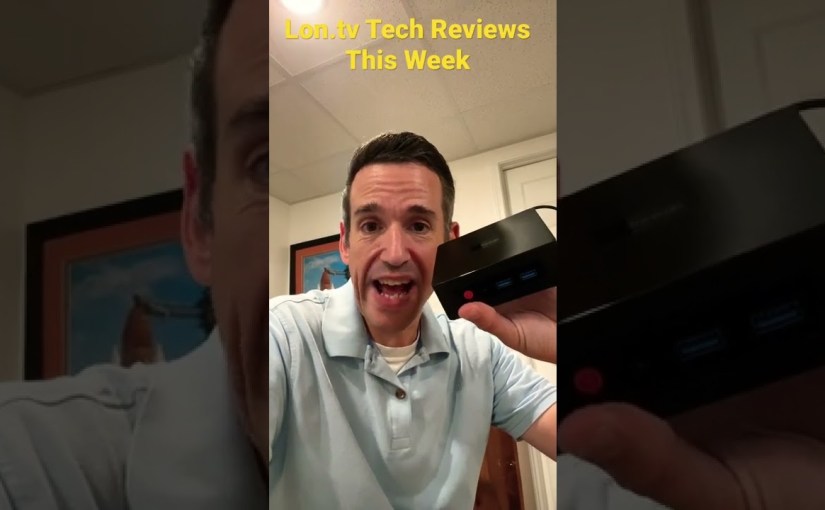
We have look at a lot of docks here on the channel but the HP Thunderbolt Dock G2 (affiliate link) is probably the most attractive looking of the bunch. It works with any computer with a Thunderbolt 3 or 4 port (and presumably a compatible USB 4 port) and provides a number of ports, 100 watts of power, lots of display output options, and a Thunderbolt passthrough port. You can watch the review here.
What sets this dock apart for PCs is that it can support four displays if the right combination of resolutions and ports are used. You can see all of the different combinations that work on the product specifications PDF. In the review we were able to get three independent displays active off of a Samsung laptop.
For Mac users it’s more limited. Even though the dock has three active display outputs only one of them will work because the Mac doesn’t support DisplayPort Multi-stream Transport or MST. So on the Mac you’ll need to use the Thunderbolt passthrough port to use a second display.
But from a price standpoint it’s costs about the same as other Thunderbolt docks and delivers great flexibility and performance.