The Sony/Discovery Media Deletion Issue is all Because of DRM..

Over the weekend I reported on how Discovery Channel TV show purchases will be deleted from Playstation libraries on December 31st. This was due to what is apparently a licensing dispute between the two companies. This move has raised critical questions about the true nature of digital ownership and the legal rights of consumers in such scenarios.

In my latest video we dive further into this topic as I fear it’s only the tip of the iceberg.

The terms of service for many digital platforms, including PlayStation, often state that they can discontinue access to purchased content at any time, without prior notice or liability. Here’s language I found in Sony’s TOS for their now closed TV and movie store:

“Unless as otherwise stated in this Agreement, SCEA, at its sole discretion, may indefinitely suspend, or discontinue any and all online access to content at any time, including for maintenance service or upgrades, without prior notice or liability.”

This clause, buried in the fine print, leaves consumers with little to no legal recourse. The situation becomes even more complicated when considering the obsolescence of certain platforms and devices, which further complicates access to purchased digital content.

At the heart of this issue lies DRM, technology designed to control the use of digital content and prevent copying. Because DRM requires server infrastructure to support, many companies could decide to turn off the servers in an effort to save cost on their legacy devices. This leads to a situation where consumers, despite having “purchased” digital content, can lose access to that content without any form of compensation.

While the future looks gloomy there are some DRM-free brightspots in both gaming and music:

Platforms like GOG.com (compensated affiliate link) have shown a different path by offering DRM-free content. This approach allows consumers to truly “own” the digital files they purchase, free from the constraints of DRM. GOG allows consumers to download and keep their purchased content without the need for continuous online verification.

The music industry provides another example of successful DRM-free distribution. Initially, digital music was sold with DRM, tying consumers to specific platforms. However, over time, companies like Apple began selling DRM-free songs, allowing consumers to play their purchased music on any device. This shift was a significant win for consumer rights and set a precedent that the TV and movie industry could potentially follow.

The current state of the TV and movie industry, with its reliance on DRM, poses a significant risk to consumer rights and the long-term viability of the industry. The record industry’s experience with DRM shows that a DRM-free approach is more consumer-friendly and ultimately more profitable. Consumers now have the choice to purchase music and have it able to play on just about anything, and/or subscribe to a streaming service.

I believe Apple could take the lead here and consider adopting DRM-free purchases for their TV shows and movies. Apple after all now owns a TV and movie studio in addition to a platform to sell it to their billions of users. This change could not only protect consumer rights but also potentially lead to a healthier, more consumer-centric industry.

As consumers, it’s essential to be aware of these issues and advocate for our rights in the digital age. The shift towards DRM-free content in the music industry was a significant step forward, and it’s time for other digital content to follow suit. By understanding our rights and voicing our concerns, we can influence the industry to adopt more consumer-friendly practices, ensuring that our digital purchases are truly ours to keep.

How can you help? Why not send Tim Cook an email at tcook@apple.com. Here’s what I sent him the other day:

Dear Mr. Cook:

Apple revolutionized the music industry by offering the first viable digital music store, followed by leading the industry to remove restrictive DRM from purchases. These innovations were not only consumer-friendly but also demonstrated Apple’s ability to lead and influence the market positively. The RIAA, who once thought DRM-free media would destroy their industry, is now thriving.

Today, I wish to propose Apple offer DRM free purchase options for movies and TV shows. While the studios will likely not agree to this currently, Apple is uniquely positioned to set the example by offering Apple Studios productions for purchase without DRM. 

By providing DRM-free purchasing options for Apple’s original content, you could once again position Apple as a trailblazer, advocating for consumer rights and leading by example. This move would not only offer unmatched flexibility and freedom for users but also potentially encourage other content providers to reconsider their stance on anti-consumer DRM restrictions.

Just this week consumers who purchased content on Sony Playstations from the Discovery channel learned that their purchases are going to be removed from their digital libraries with no refund offered. This is largely due to DRM being tied to only the Sony platform. 

Your leadership can make the difference for both consumers and the industry. Apple is really the only company that can do it! 

Sadly until something changes I fear we’re going to see many more consumers losing access to their purchases as technologies continue to evolve.

Lenovo Yoga AIO 9i Review

I recently had the opportunity to review the Lenovo Yoga AIO 9i, a large 31.5″ all-in-one Intel PC. This device, loaned to me by Lenovo, boasts a 4K display and is powered by a 14-core Intel i9-13900H processor. It’s a machine that combines aesthetics with performance, catering to a specific market segment that values simplicity and design in their computing experience. You can see my full review here.

The Yoga AIO 9i is priced around $1,600 (compensated affiliate link), but that price may vary with frequent sales.

It’s equipped with 16 GB of DDR5 RAM and 512 GB NVMe storage, though most models available online offer 1 TB. The display, an impressive 31.5-inch 4K IPS screen, offers 100% sRGB coverage and 495 nits of brightness, making it suitable for light video and photo editing tasks. However, it’s worth noting that the display is fixed at a certain height, which might require adjustments to your workspace for optimal viewing.

Port-wise, the Yoga AIO 9i includes a mix of USB-A and USB-C ports, including a USB 4 port. However, the USB 4 port operates at a slower 20 Gbps, which might limit its use with high-performance external devices. Both USB ports can output video along with an HDMI output. Unfortunately the AIO lacks a video input so its large display can only display content from the attached PC.

One of the USB-A ports will be taken up by the dongle for the keyboard and mouse – although both can operate via bluetooth instead. The included keyboard and mouse are basic transportation but functional.

A unique feature is the Qi wireless phone charger integrated into the base, allowing for convenient charging of compatible devices.

In terms of performance, the Yoga AIO 9i is quite capable. Web browsing and media consumption are smooth, thanks to the powerful processor. For video editing, the machine handles basic tasks well, but its lack of a discrete GPU means it’s not suited for more intensive editing work that might require 3D rendering and color grading. Gaming performance is modest; you can play many popular titles at lower resolutions and settings, but don’t expect high-end gaming prowess.

The speakers deliver a decent audio experience, suitable for music, movies, and calls. Large computers like this tend to do better with audio as there’s more room for larger speakers and air chambers.

The machine’s thermal management is impressive, maintaining performance under load while keeping fan noise minimal.

For those interested in alternative operating systems, the Yoga AIO 9i runs Linux distributions like Ubuntu smoothly, making it a versatile choice for different user preferences.

In summary, the Lenovo Yoga AIO 9i is a well-performing, aesthetically pleasing all-in-one PC. It’s ideal for users who prioritize a large, vibrant display and a clutter-free setup. While it may not satisfy the needs of high-end gamers or professional video editors, it’s good for everyday computing, light creative work, and media consumption for those looking for a simplified PC for the home or office.

Disclosure: This computer was loaned to the channel by Lenovo. They did not sponsor this review nor did they review or approve the content before it was uploaded.

Playstation Removing All Discovery Channel Media – Including Customer Purchases – on December 31st

Yes you read the headline correctly. Sony, in a Friday afternoon bad news dump, notified users that video content from Discovery will be removed from the Playstation store and any purchases will also be removed from user libraries. This is yet another reminder that in this digital world we own nothing. See more in my latest video.

Unlike physical media, where ownership is tangible and enduring, digital purchases are ephemeral, often subject to the whims of content providers and platform policies. Even when “purchasing” media, users are merely purchasing a license giving them access to the content. The fine print of Sony’s licensing agreement says they can revoke the license any time they want for any reason.

Unless as otherwise stated in this Agreement, SCEA, at its sole discretion, may indefinitely suspend, or discontinue any and all online access to content at any time, including for maintenance service or upgrades, without prior notice or liability.”

So how can we safeguard access to our media? One method involves the direct capture of content using software like OBS. While this process is time-consuming, it offers one avenue to preserve access to shows and movies that you’ve paid for. However, this solution isn’t without its drawbacks, primarily the effort and technical know-how required. And also it may violate the Digital Milenium Copyright Act (DMCA) which prohibits the circumvention of encryption protecting the content which is required to do a direct capture.

The best option of course is to purchase physical copies of movies and TV shows, whether on DVD or Blu-ray, which will remain accessible regardless of the changing digital landscape. Physical discs often include special features and additional content, enriching the viewing experience. Unfortunately, the market for physical media is declining, and not all content is available in this format.

Movies Anywhere is another alternative that helps spread the risk across multiple platforms. This service allows digital media purchased on one platform (like Amazon) to be made accessible on other platforms too. Most Blu-Rays now come with a “digital code” option that is often redeemable through Movies Anywhere.

Vudu also has an affordable solution called “Disc to Digital” that allows US consumers to scan the back of a DVD or Blu-Ray movie and have the film added to their digital library for under $5. The film gets added to the user’s Vudu library but the film will show up on other services through Movies Anywhere. I reviewed the service a few years ago.

For those with physical media collections, tools like MakeMKV and Handbrake facilitate the creation of personal digital archives that can be used with personal media servers like Plex.

Another option is the use of streaming service recorders like PlayOn (compensated affiliate link). This tool enables the recording of content from streaming services like Netflix and Hulu, though it operates in a legal gray area and raises questions about compliance with service terms and the legality of retaining content after canceling a subscription to the service the content was recorded from.

Unfortunately this dust up with Sony and Discovery is only the tip of the iceberg. I suspect we will be hearing more stories about purchases of music, movies, TV shows and games disappearing from libraries in the coming years. And unfortunately there’s not much we can do about it given the terms of service that allow the companies to do it.

HP Smart Tank 5101 Printer Review

My latest printer review takes a look at the HP Smart Tank 5101, HP’s answer to similar tank-based printers from Epson, Canon and Brother. Tank printers promise a a much lower cost of ownership compared to traditional cartridge-based printers.

The printer, which I received from HP, came with a full set of four ink bottles, estimated to last for about 7,000 to 8,000 pages. The cost of replacing all the ink is around $66, significantly less than the the cost for cartridges printing at that volume.

Setting up the HP Smart Tank 5101 was straightforward, especially when using HP’s smartphone app. This app simplifies connecting the printer to Wi-Fi, allowing for easy printing from various devices. Loading the ink was a clean and simple process, involving placing the bottle on the corresponding color tank and letting it drain. The printer also features replaceable print heads, but there’s no clear information on their lifespan or replacement cost.

That is one of the unmentioned components of tank printer ownership : the ink bottles are not the only consumable. Epson printers for example have a sponge that collects excess ink that needs to be replaced by their service provider after a length of time. It’s not clear what other hidden costs might be present with this printer.

The 5101 is fairly compact, with a flatbed scanner but no document feeder, limiting its scanning capabilities to standard paper sizes. It can handle about 100 pages of 20 lb stock in its rear paper tray and doesn’t support automatic duplex printing. The print speed is sufficient for a home printer, coming in at 12 pages per minute in black and white and five pages per minute in color. These speeds are from the lower quality “normal” mode – the “best” setting is a little bit slower but looks much better.

In terms of print quality, the HP Smart Tank 5101 performs well for its price point. Text documents printed in normal quality are clear and legible, while color documents show a noticeable improvement in quality when printed in the best setting. The printer can handle borderless photo printing up to 8.5×11 inches, but the output quality isn’t on par with dedicated photo printers.

Scanning functionality is another aspect I explored. The printer appears as a scanner on network-connected devices, and the HP Smart app allows for scanning documents directly to a phone. However, the app limits the scanning resolution to 300 DPI, while the scanner itself can go up to 1200 DPI. For high-resolution scans, using computer applications is advisable.

Printing from mobile devices is seamless, both from HP’s app and directly from other applications. I tested both an iPhone and Android phone in my review and both detected the printer automatically.

The printer also offers a basic copying function, with decent quality for color copies.

The HP Smart Tank 5101 is a solid choice for home users who print regularly. Its low cost per page, ease of use, and decent print quality make it a practical option for everyday printing tasks. However, for those who print infrequently, a laser printer might be a better choice due to the potential for ink clogs in inkjet printers. Overall, the HP Smart Tank 5101 offers a cost-effective and user-friendly solution for home printing needs.

Disclosure: HP normally sends me printers on loan but due to difficulties in shipping tank printers back they asked that I hang onto it. This printer will be donated to my local school system. This was not a sponsored review nor did anyone review or approve the review before it was uploaded.

Exposing More Brands Behaving Badly on YouTube..

My latest video shows another example of how influencer agencies pay YouTube creators to make “reviews” that are actually advertisements.

This video was sparked by a tweet from Mike Rose, CEO of No More Robots, a game publisher. Rose expressed his frustration about how nearly every YouTuber he reached out to wanted to be paid to review his game.

As you can imagine Rose’s tweet stirred up quite a bit of push-back, with some respondents saying it’s entirely possible to make an “honest” review when also being compensated by the game developer or brand.

But is that the case? Let’s take a look at influencer agency Crowdcreate and how they recently communicated with me in regards to a review they wanted done for a client. They approached me with an offer to review a product for payment that directed what should be covered in the review and required the brand’s pre-approval before the video was uploaded (among other things).

Transparency should be key in this industry. Viewers deserve to know if a video is sponsored, if the product was received for free, or if the brand had any editorial input. This transparency is not just a matter of ethics but also a legal requirement in many countries. Unfortunately most of the reviews Crowdcreate solicited on behalf of their client were not disclosed properly by the creators.

The underlying issue here are the changing dynamics of content creation and consumption. In the tech space as products become more integrated and less groundbreaking, capturing audience excitement becomes more challenging. This, coupled with the algorithmic nature of platforms like YouTube, makes organic content reach to followers and subscribers increasingly difficult. Creators are thus pushed towards more lucrative, yet potentially less ethical, forms of content like paid reviews.

To be clear I have no problem with creators doing paid sponsorships – in fact I do them on occasion too. But what I do have a problem with are creators who do not adequately disclose to the audience the nature of the relationship with the brand and how the brand influenced the content. This, in my opinion, crosses the line from an honest review to a paid advertisement, a distinction that is not always made clear to the audience.

You can read more about my ethics and disclosure policy here.

Fact Checking Warnings about Apple’s “NameDrop” Feature

I appeared on my local Fox affiliate today after a number of law enforcement agencies expressed concern about Apple’s new NameDrop feature.

NameDrop allows two iPhones in close proximity to share contact information. Here’s what most of the Facebook posts I’m seeing today leave out about how the feature works:

1. Both phones need to be unlocked. Your phone won’t transmit your contact info when locked.

2. In order to transmit contact information you need to push a button on your phone to send contact information to the other phone.

3. This only works when the phones are in close proximity, pretty much touching each other.

For users concerned about their phone leaking information I suggest spending some time in the “Privacy and Security” settings to see which apps have access to your private information, location data and more.

Plex Dash 2.0 Adds More Server Configuration Options (sponsored post)

In my latest monthly sponsored Plex video, I explore the latest update of Plex Dash, an app that allows users to manage their Plex server from a smartphone. This update brings a bunch of new features, enhancing the app’s functionality and user experience. The app is free and available to those who have a Plex Pass subscription.

If you need a Plex Pass, — Plex is having a Black Friday sale for 25% off a lifetime Plex Pass. You can find it here (compensated affiliate link) – use code FUZZYFRIDAY to get the discount. The code is valid through November 28th at 7:59 AM UTC.

Plex Dash, available on both iPhone and Android, initially served as a monitoring tool for Plex servers. The update, however, extends its capabilities to server administration, previously only accessible via a web browser. This development is particularly beneficial for those who need to manage their servers remotely.

As before you can monitor servers in real time to see what media is currently being played back and what kinds of transcoding processes are taking place. This new version of the app expands some of these metrics to include tasks the server might be doing in the background along with enhanced charts to monitor CPU, RAM and network performance.

Plex Dash has also expanded its library administration capabilities. Users can now adjust library settings directly from the app. Server settings can also be adjusted through Plex Dash, with most options from the web interface now available in the app. However, settings for remote access still require the web interface.

A notable new feature is the ability to browse server logs in real-time and download them for later review. This functionality is particularly useful for troubleshooting and monitoring server activities.

While the update significantly enhances Plex Dash’s capabilities, there is still room for improvement. For instance, the ability to edit metadata directly from the app is currently limited to just changing thumbnails. Expanding this feature to include full metadata editing would be a valuable addition for users who manage extensive libraries.

The updated Plex Dash app is a robust tool for managing Plex servers on the go. Its enhanced features bring a level of convenience and efficiency, especially for users who frequently need to administer their servers remotely. As the app continues to evolve, it will likely become an even more indispensable tool for Plex server administrators.

Disclosure: This video was part of my monthly sponsorship from Plex. However they did not review or approve the video before it was uploaded.

Gen X-ers and Boomers will Love The Atari 2600+ — If they have a boxful of Atari games in the attic

My latest video is a review of the Atari 2600+, a replica of the original beloved gaming console that works on modern HD televisions. It’s designed for those who still have a collection of Atari cartridges, offering a way to play these classic games on modern televisions.

The Atari 2600 Plus is about 80% the size of the original console, featuring a similar build quality with the characteristic fake wood paneling and stiff switches that are reminiscent of the original. It comes with an HDMI output, replacing the RF output of the original, and includes ports for original Atari controllers, including paddles. The package includes one controller in the box that’s a replica of the original 2600 version that also works on the original console too. The system outputs at 720p and includes switches to go into black and white mode along with a widescreen mode.

The console operates via emulation, using Stella for Atari 2600 games and ProSystem for Atari 7800 games. The emulation quality is high, with seamless controller compatibility and no need for button mapping or menu navigation. The system takes a little longer to boot up vs. the original console as it has to boot its OS, dump the ROM off the cartridge, and then load up the emulator.

Playing a game like “Star Wars: The Empire Strikes Back,” a cartridge from my childhood, on the Atari 2600 Plus was a smooth experience. The sound and visual quality were impressive, capturing the essence of playing on an original Atari, albeit with the modern convenience of HDMI output.

However, the console does have its limitations. It requires original cartridges to work, and there’s no option for loading games via SD card or USB. This means that for those without a collection of Atari games, the Atari 2600 Plus might not be the best choice. Additionally, flash cartridges like the Harmony cart are not compatible with this console.

Despite these limitations, the Atari 2600 Plus stands out for its authentic replication of the original console’s feel. The tactile experience of inserting a cartridge, flipping the switches, and using the controllers is remarkably close to the original. This makes it an excellent gift for someone who cherishes their Atari memories.

The Atari 2600 Plus is a well-executed blend of nostalgia and modern technology. For those with a trove of Atari cartridges, it’s a fun way to rekindle childhood memories. But if you don’t have a collection already there are far better ways to explore what the 2600 had to offer.

HP’s Black Friday Laptop Review – The Pavilion 15 15t-eg300

A few days ago I reviewed HP’s Pavilion 15 laptop as it is currently on sale at a large Black Friday discount. HP is taking $450 off any configuration of this model (compensated affiliate link). The specific configuration I examined is priced at $529, I think a decent price for someone looking for a nicely performing laptop who doesn’t need many bells and whistles. You can watch my video review here.

The HP Pavilion 15 features a 15.6-inch 1080p display, although it’s not the brightest at about 250 nits. The model I reviewed had a TN display, which I found to have limited viewing angles. However, the Black Friday deal includes an IPS display option, which I would recommend for better viewing quality.

Internally, the laptop is equipped with an Intel i7-1355U processor, Intel Iris XE Graphics, 16 GB of dual-channel DDR4 RAM, and a 256 GB NVMe SSD. The RAM is socketed, but it’s unclear if it can be expanded beyond 16 GB. The SSD can be replaced for more storage, offering some flexibility for future upgrades.

The build quality is mostly plastic, and the laptop weighs 3.86 lbs (1.75 kg). While it’s not the most robust construction, the performance does make up for it. The keyboard is decent with large, well-spaced keys, and the trackpad is functional. A notable feature is the fingerprint reader, which adds convenience for logging in.

Port selection is good, with an HDMI 2.1 port, a USB-A port, a USB-C Gen 2 port (which supports power, display port 1.4 out, and data devices), a combined headphone/microphone jack, another USB-A port, and a barrel connector for power. However, there’s no card reader for additional storage or camera cards.

The webcam is only 720p, suitable for basic video calls but not exceptional. Battery life is estimated between 6 to 8 hours, depending on usage, which is reasonable for a laptop in this price range.

Performance-wise, the HP Pavilion 15 excels in basic tasks like web browsing and video streaming. It handles 1080p videos well and is equipped with Wi-Fi 6 for a smooth online experience. The speakers are average, but external headphones or speakers can enhance the audio experience.

For more demanding tasks like video editing, the laptop’s i7 processor and 16 GB of RAM allow for smooth operation in applications like DaVinci Resolve, especially for basic to moderate editing tasks. Gaming performance is adequate for casual gaming, with the ability to run demanding titles like Red Dead Redemption 2 at lower settings at around 30-35 frames per second.

In benchmarks, the laptop scored well, indicating it can keep pace with other laptops in its generation. However, it does experience some thermal throttling under heavy load, which is common in laptops at this price point.

Lastly, I tested the laptop with the latest version of Ubuntu Linux, and it performed well, with all hardware components being detected correctly. This makes it a viable option for those looking to run alternative operating systems.

The HP Pavilion 15, especially with the Black Friday discount, offers a solid value proposition. It’s a practical choice for those needing a capable laptop without breaking the bank. While it’s not the top-end in terms of build quality or features, its performance for the price is commendable.

Peertube Part 2! Questions and Answers

Last week I made a video all about Peertube, a federated self-hosted YouTube alternative. That video generated a ton of discussion and I received so much that it helped inspire my latest video that continues our exploration of this topic.

PeerTube operates on a federated model, allowing content from one server to be accessible across other servers or platforms like Mastodon. Comments are posted and views are counted no matter where they come from. This approach contrasts sharply with the centralized nature of platforms like YouTube, offering a unique blend of control and community interaction.

A key concern for content creators considering PeerTube is the cost and scalability of hosting their own content. My exploration reveals that these costs are surprisingly manageable. For example, a typical server setup can run on a modest budget (in my case only $5 monthly) with videos being reasonably sized after transcoding. PeerTube’s efficient bandwidth management, which breaks videos into chunks and utilizes peer-to-peer transfers, significantly reduces server load.

Monetization, crucial for creators, is not a direct feature of PeerTube yet. However, the platform’s neutrality on monetization means it doesn’t restrict the development of plugins for advertising, suggesting potential avenues for monetization and advertising options in the future.

Regarding legalities, particularly around copyright, it’s important to note thatn anyone hosting a Peertube instance needs to adhere to copyright laws like the Digital Millennium Copyright Act (DMCA) here in the United States. Even in a decentralized network like PeerTube, content creators and server owners must ensure they don’t infringe on copyright.

User adoption is a significant challenge for platforms like PeerTube, which struggle to compete with the vast user base of YouTube. However, I believe there is potential for decentralized platforms to coexist with larger platforms. One great example is podcasting, a decentralized medium that has thrived without a singular controlling entity. While Apple and Spotify may dominate the listening apps, serving podcasts requires only a webserver and RSS feed.

My investigation into PeerTube reveals a platform with significant potential for growth and innovation in the content creation space. While it faces challenges in user adoption and monetization, its decentralized nature offers a compelling proposition for creators seeking more control and ownership over their content. As the digital landscape continues to evolve, platforms like PeerTube could play a significant role in shaping the future of online content distribution.

You can check out my Peertube instance at https://lon.tv/peertube.

The Making of Karateka Review

In my latest video I take a look at “The Making of Karateka” from Digital Eclipse, a virtual museum exhibit that explores the popular classic computer game Karateka developed by Jordan Mechner. In addition to some neat documentary content is also has a number of playable games including some prototypes from Karateka’s development and a modern refreshed version of the game.

Karateka, originally released on the Apple II, was a groundbreaking game known for its animation, storyline, and music. It featured a karate protagonist on a mission to rescue a princess locked in the dungeon of a temple. The game’s animation was particularly notable, as Mechner used rotoscoping to capture realistic movements, a technique that was later expanded in his other famous game, Prince of Persia.

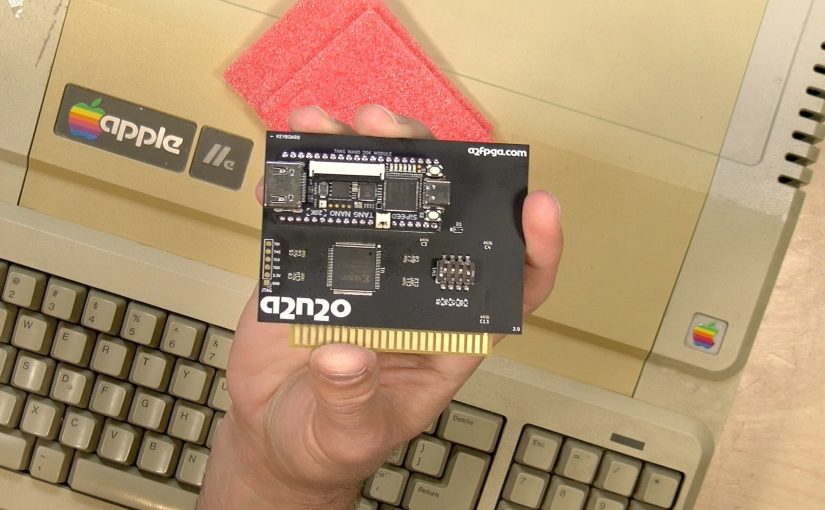
One of the fun parts about making this video was testing out my original copy of Karateka that is still working 35+ years. At the beginning of the video you can see it booting up on my Apple IIe.

What makes this new compilation from Digital Eclipse intriguing is not just the modern refresh of Karateka but also the extensive exhibit of Mechner’s development process. It’s like walking through a museum, showcasing the journey of Karateka from its inception to its final form. This includes Mechner’s early attempts at game development, his meticulous documentation, and the evolution of his ideas.

Mechner’s first game, Asteroid Blaster, and his subsequent project, Death Bounce, which faced multiple rejections before Karateka, are also part of this compilation. These games reflect the perseverance and creativity of a young developer navigating the early gaming industry. The compilation also includes interviews and footage that provide insights into the animation process and the collaboration between Jordan and his father, who composed the game’s music.

The modern version of Karateka in this compilation is a testament to Digital Eclipse’s dedication to preserving gaming history. They’ve updated the graphics and smoothed out the animations while staying true to the original’s essence. This modern version, alongside the prototypes and earlier versions of Karateka, offers a unique perspective on the game’s development and the technological limitations of the time.

This journey through the making of Karateka is not just a trip down memory lane for those who grew up in the 80s. It’s a comprehensive look into the creative process of game development, the evolution of gaming technology, and the enduring impact of classic games. It’s a reminder of how far the gaming industry has come and the innovative minds that paved the way.

Sennheiser AMBEO Soundbar Mini Review

Sennheiser has carved out a notable niche in the premium soundbar market with their amazing (and expensive) AMBEO products. Their latest offering, the AMBEO Soundbar Mini, brings that premium sound to a more “entry level” – by Sennheiser’s pricing standards – product. You can learn more in my latest review.

The AMBEO Soundbar Mini sells for $799 (affiliate link), and is designed for those who may not have the luxury of a spacious living room but still desire an immersive audio experience. Sennheiser also offers a bundle that includes the AMBEO subwoofer for an additional $399. In my testing I found it works best in smaller spaces like apartment living rooms or a small bedroom.

The AMBEO Soundbar Mini relies on your television’s audio return channel (ARC) HDMI port for its audio input. For those with newer TVs supporting eARC, the soundbar can also handle lossless audio formats like Dolby TrueHD ATMOS and DTS:X. However, for TVs without eARC, it supports compressed audio formats including the ATMOS audio delivered over most major streaming services. Unfortunately there are no other physical inputs.

The soundbar does offer wireless audio options, including Chromecast, Bluetooth, and AirPlay 2. However, it’s worth noting that audio quality over Bluetooth or Airplay will not be as crisp as it will be over a wired connection.

Internally, the soundbar boasts six speakers with a total output of 250 Watts RMS, covering a frequency range of 43Hz to 20kHz. The optional subwoofer, which I found enhances the audio experience significantly, operates wirelessly and adds depth to the lower frequencies that the soundbar can’t handle on its own.

The setup process is straightforward, requiring a connection to Wi-Fi and some initial automatic calibration to optimize the sound for your room’s acoustics.

In terms of performance, the AMBEO Soundbar Mini impressed me with its immersive audio quality. I tested it in different room settings with various compressed Dolby Atmos content from Disney+, and the soundbar consistently delivered an enveloping sound experience. It’s not quite on par with a full home theater system with discrete speakers, but it’s remarkably close and certainly a step up from other compact soundbars I’ve reviewed.

For music lovers, the soundbar might fall short due to its lack of direct audio inputs and reliance on compressed audio sources. It does attempt to upmix stereo sound to create a more immersive experience, but dedicated audiophiles might want to seek more robust options.

The soundbar’s operation is intuitive, with a remote control for basic adjustments and an app for more fine-tuned settings. You can control volume through your TV remote and switch audio sources or adjust sound modes via the soundbar’s remote or app. The app provides deeper insights into the audio being decoded and allows for more precise adjustments to the soundbar’s settings.

The Sennheiser AMBEO Soundbar Mini is an excellent choice for those with smaller living spaces looking for a significant upgrade from standard TV speakers. While it may lack extensive input options and requires a commitment to the Sennheiser ecosystem for the full experience, its performance in delivering immersive audio in compact environments is the best I’ve experienced to date.

Disclosure: Sennheiser provided the sound bar free of charge for this review, however they did not review or approve the content before it was uploaded.

PeerTube: The YouTube Alternative Nobody’s Talking About

In my latest video, I share my insights on a lesser-known yet intriguing option in the realm of video sharing platforms: PeerTube. This open-source application offers a unique approach to video hosting and sharing, diverging from the centralized control typical of major platforms like YouTube and instead opting for a “federated” approach like Mastodon.

What does “federated” mean? Each “instance” of Peertube operates on a self-hosted server that are spun up by individuals or groups similar to how a web server might work. But what’s different here is that Peertube instances can talk to each other, giving a user on one instance access to content across many other instances.

In this image you can see my personal subscription feed where the top three videos are uploaded to my server, but I’m also pulling in a channel called “Veronica Explains” that resides on TILVids.com:

So even though these videos reside on different servers thanks to federation users can enjoy an experience similar to that of a centralized platform. Playback data will even get sent back to TILvids.com.

As a viewer, the experience on PeerTube is quite similar to that of YouTube. The interface is user-friendly, and videos are chunked for efficient streaming. A notable feature is that Peertube employs a peer-to-peer bandwidth sharing feature, which reduces server load by having viewers simultaneously watching a video share chunks of data among themselves. This not only enhances efficiency but also keeps hosting costs manageable.

While there’s no direct monetization through ads at the moment, creators can link to their support pages, offering an avenue for viewer contributions. The platform also supports plugins, potentially opening doors to various customization and monetization options in the future.

Setting up a PeerTube instance is surprisingly straightforward, especially with tools like Docker. This ease of deployment means that anyone with basic technical knowledge can start their own video sharing platform. The administrative interface of PeerTube is robust, offering a range of configuration options from appearance settings to user management and video transcoding settings.

PeerTube’s potential extends beyond just an alternative social media platform. It can be an excellent solution for corporate intranets or educational institutions needing a private, controlled environment for video sharing. The platform’s adaptability makes it suitable for a variety of uses, from hosting corporate training videos to creating a community-driven video sharing space.

Behind PeerTube is Framasoft, a French nonprofit dedicated to decentralizing the Internet. They are not just focused on video sharing but are developing a suite of tools to replicate the functionality of popular internet applications, all with a focus on privacy and user control.

In my exploration of PeerTube, I’ve found it to be more than just a YouTube alternative. It’s a statement about the direction of the internet, a throwback to the days when the web was a patchwork of individual sites and communities, each with its own identity. PeerTube brings back that sense of individual ownership and control, blended with modern technology and the interconnectedness of today’s platform-centric Internet.

Will it replace YouTube? Of course not. But what it does do is offer an alternative and an example of how a better Internet might look.

Lenovo Legion Go Review

Over the last year or so I’ve had the opportunity to review the current crop of name brand handheld gaming PCs, including the Steam Deck and the Asus ROG Ally. Recently, I spent some time with the newest entrant in this space, the Lenovo Legion Go. It is the subject of my latest review.

The Legion Go starts at $699 for the 512GB version (compensated affiliate link). All configurations at the moment are powered by an AMD Ryzen Z1 processor that can run at a 30 watt TDP, 16GB of LPDDR5X-7500 RAM, and a replaceable NVME SSD.

Its larger size, compared to competitors like the Steam Deck, is thanks to its 8.8-inch IPS display, offering a 2560×1600 resolution, 500 nits of brightness, and up to 144Hz refresh rate. Just remember that most AAA titles won’t fully utilize this display’s capabilities, often running at 60 frames per second or less. The good news is that the display does support variable refresh rates.

What sets the Legion Go apart are its hardware features that are lacking on its competitors. The detachable controllers, which work wirelessly when detached, are most noticeable. The built-in kickstand adds convenience for multiplayer and tabletop gaming, and the inclusion of two USB-C 4.0 ports, compatible with Thunderbolt devices, allows for easy docking and connection options for external GPUs.

Running on Windows 11, the Legion Go supports a wide range of gaming platforms, including Microsoft’s Game Pass, Steam, GOG, Epic and just about anything else that runs on Windows. However, navigating Windows through a touch display can be clunky at times. The device’s performance can be customized, with options to adjust the TDP (Thermal Design Power) and fan speed, catering to different gaming needs.

In terms of controls, the Legion Go features hall effect thumbsticks, which are more durable and less prone to drifting than traditional potentiometer-based sticks. However, they suffer from a large dead zone currently, which negates many of the advantages the Hall Effect technology provides. A software update should address that hopefully in the future.

Another stand out feature is the ability to turn the right-hand controller into a mouse when it’s switched into “FPS mode.” The controller docks to a small stand that turns it into a mouse that feels like a joystick. It works – especially for gamers that want the convenience of a mouse without having to bring an extra device on the road.

The directional pad, unfortunately, it not great. While it’s an improvement over the ROG Ally’s d-pad, the Lenovo version is slippery doesn’t have much travel to it. I’d recommend extending the kickstand and using an 8bitdo controller for retro gameplay.

Battery life is a consideration, with the device offering around 90 minutes at 30 watts and may aboue two hours at 20 watts. This is typical for many handheld gaming PCs, where power source proximity is essential. Note that some games are more demanding than others – so longevity will be determined by how much load the game places on the system.

In benchmark tests, the Legion Go performs admirably, comparable to some laptops with discrete GPUs. It’s a testament to the advancements in portable gaming technology. However, when it comes to real-world gaming, adjustments are often needed to balance performance and visual quality. Unlike the Steam Deck that will automatically optimize games for the best performance, the Windows-based Legion Go will require a bit more tweaking.

Comparing the Legion Go with its competitors, it stands out in terms of build quality, control options, and docking capabilities. However, it’s bulkier and heavier than the Steam Deck and far less comfortable than Valve’s offering. The Steam Deck, with its more integrated feel and lighter build, might still be the better choice for casual, on-the-go gaming. In contrast, the Legion Go shines as a more versatile device, suitable for docking to a TV or even functioning as a desktop PC when not on the road.

The Legion Go is a significant addition to the handheld gaming PC market, offering unique features and powerful performance. Its versatility makes it an attractive option for gamers who want a device that can transition from handheld to a docked gaming experience. As the market for these devices grows, it’s exciting to see how each brand brings its strengths to the table, offering gamers more choices than ever before.

Disclosure: Lenovo provided the Legion Go free to charge to the channel for this review. They did not review or approve the review before it was uploaded.

Asus Chromebook Plus CX34 Review

My latest video is of the Asus Chromebook Plus CX34, the second Chromebook Plus we’ve looked at since the new Plus standard was announced by Google.

The Chromebook Plus CX34 is part of Google’s initiative to define a new hardware specification, ensuring that devices carrying the ‘Chromebook Plus’ label offer more than just basic functionality. This includes mid to upper-range performance and the promise of future OS updates incorporating generative AI features, which are not available on lower-end models.

Priced at around $399, with occasional discounts bringing it lower, the CX34 is an entry-level Plus configuration featuring an Intel i3-1215U processor, 8 GB of RAM, and 128 GB of storage. The display, its standout feature, is a 14-inch IPS panel with a matte finish. It offers a 1080p resolution at 250 nits of brightness, delivering a satisfactory viewing experience for its price range. However, it’s important to note that it covers only about 45% of the NTSC color gamut, making it less suitable for creative professionals.

The build quality of the CX34 is decent, with a plastic body that feels sturdy enough for everyday use. The pearl white color is enhanced by a speckled finish. Although it’s not a two-in-one device, the laptop’s display can fold flat, offering some flexibility in how it’s used.

The keyboard and trackpad are surprisingly comfortable for a device in this price range. The keyboard is backlit although the backlight can sometimes wash out the keycaps in brighter settings. The trackpad is responsive and supports smooth navigation.

In terms of connectivity, the CX34 is well-equipped. It features two USB-C ports (one on each side of the laptop), USB-A ports, an HDMI output, and a headphone/microphone jack. The USB-C ports support power delivery, display output, and data transfer, although at a lower speed of 5 Gbits per second, which is adequate for a Chromebook.

The webcam is compliant with the Chromebook Plus requirements, offering 1080p resolution and operating system-level image enhancement features, such as blurring and lighting adjustments. These enhancements are compatible with various applications, including Zoom and Google Meet. However, the device lacks facial recognition and fingerprint sensors for quick unlocking.

Audio quality is average, with downward-firing speakers that provide decent stereo separation but are not exceptional, especially for music. Battery life is reasonable, with about 8 hours of usage on basic tasks like web browsing and video watching.

Performance-wise, the CX34 handles web browsing and media playback smoothly, thanks to its Wi-Fi 6 capability. It scores well on browser-based benchmarks, indicating its competence in handling everyday tasks. However, it’s important to note that streaming services like Netflix or Disney Plus should be accessed via the web browser for optimal resolution, as the Android versions on Chrome OS are limited to DVD quality.

For gaming, the CX34 is not a powerhouse but can handle Android-based games like Roblox and Minecraft satisfactorily. It also supports game streaming services like Xbox Game Pass Ultimate, offering a way to enjoy high-end games without the need for powerful hardware.

In conclusion, the Asus Chromebook Plus CX34 represents a solid choice for those seeking a mid-range laptop. It balances performance, build quality, and price, making it a viable option for everyday computing needs, from web browsing to light gaming. While it may not satisfy the demands of power users or creative professionals, it stands as a competent and affordable option in the Chromebook market.

Hallmark Dreamcast Ornament Review

Hallmark, known for its detailed and collectible Christmas ornaments, has released a Sega Dreamcast ornament, and it’s a fun little replica that captures the essence of the original console.

This now joins the Sega Genesis version I bought last year and the NES one that I reviewed last week.

The ornament itself is a faithful recreation of the Dreamcast console, complete with a non-removable controller and a visual memory unit (VMU). It’s impressive how Hallmark has managed to encapsulate the details of the Dreamcast, right down to what looks like a Rumble adapter along with the 56k modem port.

Installing the three included button cell batteries brings the ornament to life. With a press of the little power button you’ll be greeted with the familiar music from Sonic Adventure, along with the power light and the backlit VMU illuminating. This is similar to what the other Hallmark ornaments do.

The ornament isn’t without its flaws, though. My piece came with a small blemish on the left-hand side, and overall this one doesn’t feel quite as nice as the NES and Genesis versions.

For those considering adding this Dreamcast ornament to their collection, it’s a fun piece that captures the spirit of the console and the season in which many of us were gifted a Dreamcast as younger humans.

ATSC 3 DRM Update: No Plan for Gateway Devices and some DRM Certified TVs Don’t Work..

Our campaign continues against the encryption of over the air television signals with my latest video.

The broadcast industry’s DRM implementation restricts how viewers can consume TV content within their homes. Despite the outcry, broadcasters continue their efforts to encrypt over-the-air television, which could potentially limit consumer freedom in how they access and record content.

Here’s the latest news on the topic that I cover in the video:

Petition / Docket Update
The petition on Change.org to stop DRM has garnered over 9,000 signatures, reflecting a growing concern among the public. This petition, along with over 2,200 citizen submissions to the FCC’s official docket, demonstrates a clear message from consumers: they do not want DRM.

New York City Finally Gets ATSC 3.0 Broadcasts, but with DRM..
In New York City, the largest TV market in the United States, ATSC 3.0 broadcasts have finally arrived. However, half of the available channels are already encrypted, which means unless a TV is directly connected to an antenna, viewership options are limited.

The Industry Touts 10 Million ATSC 3 Tuners in the Market But..
The NextGen TV group announced they are on track to have 10 million ATSC 3 tuners in consumer homes by the end of the Q4 this year. But most of these are built into televisions that require a direct antenna connection, or a TV tuner box that requires a direct antenna AND an Internet connection to work.

The Antenna Man, a well-known figure in the cord cutting community, has discovered that many devices that claim to work with DRM-encrypted signals are failing to do so. This includes televisions that either don’t tune channels at all or experience random lock-ups.

New Industry Rules on DVR Recording
The A3SA, a separate standards body responsible for DRM encryption, released broadcast encoding rules that, on the surface, seem to be consumer-friendly. These rules include allowing viewers to decrypt and record broadcasts, make unlimited copies, and use features like pause, rewind, fast forward, and ad-skipping.

But these rules are limited to devices that have been certified to decrypt DRM content. And none of the currently shipping devices on the market seem to be able to do anything that these rules allow. What’s worse is that these rules only apply to ATSC 3 signals that are simulcast on the older ATSC 1.0 technology. This leads me to wonder if they will put these restrictions in place once the 2027 transition is complete.

Zapperbox Gets Certified for DRM
The Zapperbox, a digital tuning device, has been certified to watch live encrypted content but not record it. Like the ADTH box I reviewed a little while back, the Zapperbox will require an Internet connection to watch DRM encrypted content for the time being.

The process to update the Zapperbox for DRM compatibility requires allowing unattended screen sharing access to the device to install the security credentials, which raises security concerns. New Zapperbox devices will come from the factory with these security credentials preinstalled.

SiliconDust Says DRM Rules Haven’t Contemplated Gateway Devices..
SiliconDust, the makers of the HDHomeRun, have noted that there is no formal approval for gateway products that allow for in-home streaming of encrypted content. This means that consumers cannot stream content to multiple devices within their homes, a significant step back from the current capabilities with ATSC 1.0.

..Yet Consumers Want Gateway Devices that Replicate Streaming Service Functionality
The broadcaster E.W. Scripps, after acquiring network gateway tuner manufacturer Tablo, canceled the development of an ATSC 3.0 product that would not work as a gateway. The product they did end up releasing, the 4th generation Tablo tuner, does not have ATSC 3.0 support and only works through connected smartphone or smart TV applications as a gateway device.

When I asked why a hardware device owned by a broadcaster shunned the new standard in favor of the old one, here’s what they had to say:

“The fourth-generation Tablo device is optimized for the ATSC 1.0 broadcast standard. We’re excited about forthcoming Tablo devices that will take advantage of the 3.0 standard. We are currently working with the ATCS 3.0 groups to ensure Tablo (and other recording devices) will be compliant and work with the new content protection standards that are part of ATSC 3.0.”

Their statement and actions as a consumer electronics manufacturer indicate that the industry really didn’t contemplate gateway products or is purposely leaving gateway usage out of the specification in an effort to steer consumers into pricey subscription plans.

Where’s the FCC?
As for the FCC’s role in this, it seems they are waiting to see how the situation unfolds before stepping in. With the transition deadline set for 2027, there’s still time for the industry to experiment and potentially fail, which could prompt corrective regulatory action. The irony of all of this is that the private sector rule-making here feels more onerous than government regulation!

What do you think?
The question remains: what is the best outcome for consumers? Is it the complete elimination of DRM, or is there a middle ground where encryption exists but with the flexibility that consumers currently enjoy via gateway devices? Let me know what you think in my latest poll on my YouTube channel.

I will continue to follow this topic closely, providing updates and insights as they emerge. The advocacy against DRM is gaining traction, and it’s clear that the voices of consumers are starting to be heard. The industry and regulatory bodies will have to take these concerns into account as they navigate the future of television broadcasting.

8bitdo Controller Buying Guide

In my latest video, I take a look at four of of 8bitdo’s premium game controllers: the Ultimate 2.4 & Bluetooth, the Pro 2, and the SN30 Pro. You can find 8bitdo controllers on Amazon here (compensated affiliate link).

8bitdo was originally known for crafting replicas of classic gaming controllers. Over the years, 8bitdo has matured its product line, offering a premium gaming experience at a reasonable price. You can follow their progression in my 8bitdo playlist.

The Ultimate 2.4 and Ultimate Bluetooth controllers are similar in design, resembling the layout of an Xbox controller. Both are compatible with PCs supporting X-input devices, including the Steam Deck, Android devices with X-input support and emulation devices like the Raspberry Pi & MiSTer.

However, the Ultimate Bluetooth controller is also compatible with the Nintendo Switch, while the Ultimate 2.4 works better with Android and Apple devices. The Ultimate Bluetooth controller is also equipped with superior control sticks that utilize hall effect sensors. This provides a smoother experience compared to the traditional Alps type of stick in the 2.4 controller.

But the Ultimate Bluetooth controller defaults to the Nintendo Switch layout when it’s switched into Bluetooth mode, and the labels printed on the buttons are in the Nintendo Switch layout which differs from the Xbox. These default settings can be changed with 8bitdo’s configuration software.

Both controllers come with a convenient charging dock that has a USB 2.4ghz receiver installed at the bottom. The receiver works inside of the dock provided the dock is connected to a computer through its USB-C port. But the receiver dongle can be removed for a more portable solution. Additionally the controllers can connect to a device directly via their own USB-C port. They can also charge through that connection.

The Pro 2 controller, designed in a PlayStation layout, is my personal favorite. It combines the best of a Super Nintendo layout and Sony’s analog stick and handle design. The Pro 2 is more versatile in its compatibility, with a switch that allows easy transition between different modes, such as Switch, Android, Direct Input, and X Input. The Pro2 also works with the iPhone, iPad and Apple TV.

The SN30 Pro, a smaller version of the Pro 2 that lacks the handles, offers similar features but lacks analog triggers. I found it works great for classic games but the lack of handles makes it less comfortable for games that rely on the analog sticks.

8bitdo’s Ultimate Software allows users to fine-tune their controllers. From button remapping to adjusting stick sensitivity and trigger dead zones, the software provides a granular level of control. However the software is only compatible with the Ultimate controllers and the Pro 2 – not the SN30 Pro.

Despite their strengths, these controllers do have limitations. The Ultimate Bluetooth controller’s compatibility is not as robust as the Pro 2, and none of these controllers work with Xbox or PlayStation consoles. Nevertheless, 8bitdo has come a long way in developing controllers that offer great features, performance and compatibility.

Disclosure: The controllers featured in this post and video were provided to the channel free of charge by 8bitdo, however they did not review or approve the content before it was posted. 

Hallmark Keepsake NES Ornament Review

I am not a Christmas ornament collector, but I find myself continually drawn to purchasing these keepsake ornaments from Hallmark, especially when they tap into the nostalgia of my Gen X roots. Recently, Hallmark reissued one of their popular ornaments: the Nintendo Entertainment System (NES). You can see it in action here in my latest review.

Upon unboxing the ornament, I noticed the attention to detail that Hallmark has put into replicating the NES console. I have previously acquired the Sega Genesis and Dreamcast ornaments, and this NES one will fit in very nicely with the others. The ornament comes with pen batteries for sound and light, and the hook for hanging it is placed on the controllers, which are fixed to the top of the console.

The ornament is a striking resemblance to the real Nintendo console. It includes a non-removeable Super Mario Brothers cartridge inside, complete with a working door. The power button works and will illuminate the LED power light and play some sounds from the original Super Mario Bros. The reset button is just for show. The back of the ornament features all the ports in their correct places, making it a very accurate representation of the retro console.

The quantities of these ornaments are usually limited, so it’s wise to pick one up before they sell out. This NES ornament has quickly become one of my favorites in my collection.